构建输出与错误信息 —— 看懂 Clang 在说什么
编译输出在哪
点击编译按钮后,屏幕底部或侧边的控制台面板会自动展开,显示:
- 编译器执行的命令(可以看到具体的 clang++ 调用参数)
- 编译进度(正在处理哪个文件)
- 编译结果(成功 / 失败 + 统计信息)
- 运行输出(可执行文件执行的 stdout / stderr)
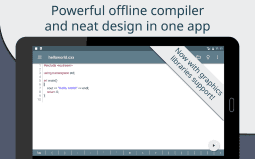
成功输出长什么样
编译成功时,控制台末尾会显示类似:
Compilation successful (0 errors, 0 warnings)
Build time: 1.2s
Running...
Hello, World!
Program finished with exit code 0
退出码 0 表示正常执行完毕。
错误输出的结构
Clang 的错误输出格式:
main.cpp:47:5: error: no member named 'Foo' in namespace 'std'
    std::Foo bar;
    ~~~~ ^
main.cpp:50:12: warning: unused variable 'bar'
    return bar;
           ^~~
三行信息:
- 位置:
文件名:行号:列号: error/warning: - 描述:错误的具体原因
- 代码片段:出错位置附近的代码,用
~~~~和^标记出错位置
最常见的 10 种编译错误
| 错误 | 含义 | 常见原因 |
|---|---|---|
no such file or directory | 找不到文件 | 头文件路径写错、没 include、库没装 |
use of undeclared identifier | 未声明的标识符 | 拼写错误、忘了 include、作用域不对 |
expected ';' after expression | 分号缺失 | 括号没闭合、大括号配对错误 |
no matching function for call to | 函数调用不匹配 | 参数类型不对、const 限定不符 |
cannot initialize return object of type | 返回类型不匹配 | 返回值类型与函数签名不一致 |
member reference base type '...' is not a structure | 非结构体做了成员访问 | 对基本类型用 . 或 -> |
operator... not supported | 运算符不支持 | 类型不匹配(比如 int 加 std::string) |
no member named '...' in '...' | 类型里没有这个成员 | 拼写错误、用了旧版本 API |
redefinition of '...' | 重复定义 | 头文件缺少 include guard、函数写了两次 |
undefined reference to | 链接阶段找不到符号 | 忘了链接库(缺 -lboost)、静态变量没定义 |
点击错误跳转到代码
Cxxdroid 支持在控制台里直接点击错误提示的文件名+行号,跳转到对应的代码位置。比在手机上手动滚动找 47 行效率高多了。
警告不是错误
Warnings(警告)不影响编译成功,但它们在告诉你「这里有潜在问题」。比如:
unused variable 'bar':你声明了bar但没用到,浪费空间implicit conversion from 'int' to 'char':隐式类型转换可能截断variable 'x' is uninitialized:局部变量没初始化就读取,值不确定
建议把警告也修掉——它们是 bug 的温床。